Webinar Core Functionality Enhancements
Upgraded streaming room with studio scenes builder, secondary camera, green room, and improved performance
Project Overview
This project focused on elevating the core webinar experience by adding professional production tools, engagement features, and performance improvements. The goal was to give hosts broadcast-quality capabilities without requiring external software, while making sessions more interactive and reliable for attendees.
The goal: Transform the webinar platform from a basic streaming tool into a comprehensive virtual event production studio that competes with professional broadcasting software while remaining accessible to non-technical users.
Problems We Set Out to Solve
Limited production capabilities
Hosts needed external tools like OBS or vMix to create professional-looking presentations, increasing complexity and cost.
Results & Impact
Increased attendee engagement by 20-25%
Interactive features and professional production quality kept audiences watching longer.
Reduced host setup time significantly
Built-in production tools eliminated need for external software like OBS or vMix.
Improved platform reliability and performance
Infrastructure upgrades ensured stable streaming even during high-traffic events.
Enhanced competitive positioning
Professional features differentiated the platform from basic webinar tools.
Drove premium tier adoption
Advanced production features became a key selling point for enterprise customers.
My Role
Led product strategy and execution for core webinar enhancements, partnering closely with design, engineering, and QA to deliver professional production capabilities and engagement tools from discovery through release.
Drove research with webinar hosts, marketing teams, and video production professionals to understand real-world workflows and pain points. Conducted competitive analysis across Zoom, Webex, and StreamYard to identify differentiation opportunities while preserving ease of use.
Defined requirements for the studio scenes builder, multi-camera support, and giveaway system. Developed detailed user flows, collaborated with design on UI/UX, and worked closely with engineering to balance feature richness with performance and scalability. Prioritized infrastructure improvements required to reliably support large-scale events.
Ran beta programs with select customers to gather feedback and iterate on features. Supported post-launch adoption by partnering with Marketing on feature announcements and with Customer Success on training and enablement materials.
Solution: Professional Webinar Production Suite
A comprehensive set of tools that transform basic webinars into professional, engaging virtual events.
Key Features Delivered
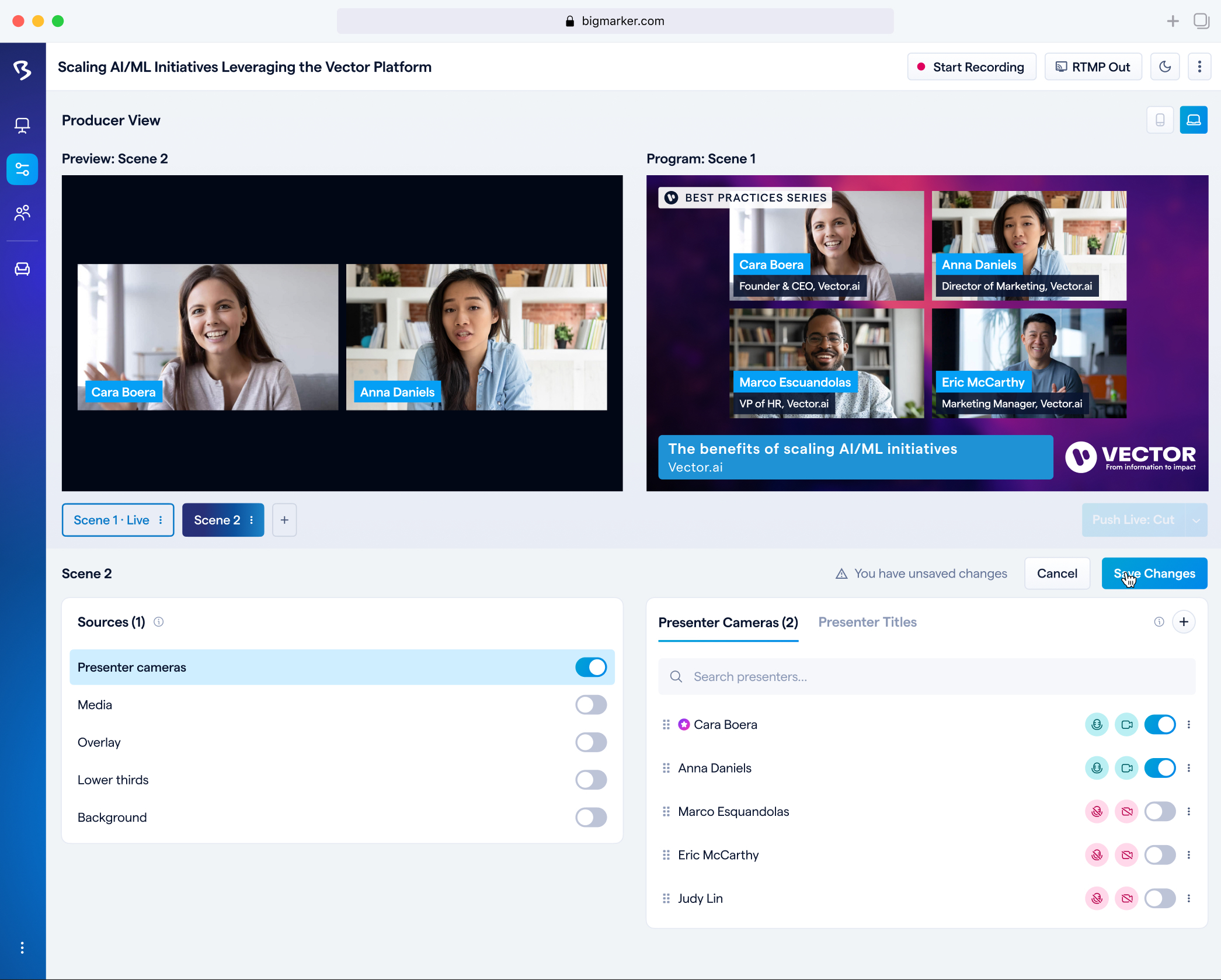
1. Studio Scene Builder
Broadcast-quality layouts without external tools
The Studio Scene Builder enables hosts to create professional, customizable broadcast layouts directly within the webinar platform. This powerful tool eliminates the need for external software like OBS or vMix, allowing presenters to build broadcast-quality scenes with multiple video sources, screen shares, graphics, and overlays-all in a user-friendly drag-and-drop interface. Watch demo video
- Create custom layouts combining webcam, screen share, and graphics
- Pre-built templates for common use cases (presentation, interview, panel)
- Drag-and-drop scene builder with real-time preview
- Seamless scene switching during live sessions
- Custom branding with logos, backgrounds, and overlays
Impact: Hosts could create professional broadcasts comparable to TV-quality productions in minutes, eliminating complex external software setup.
2. Share a Secondary Camera When Presenting
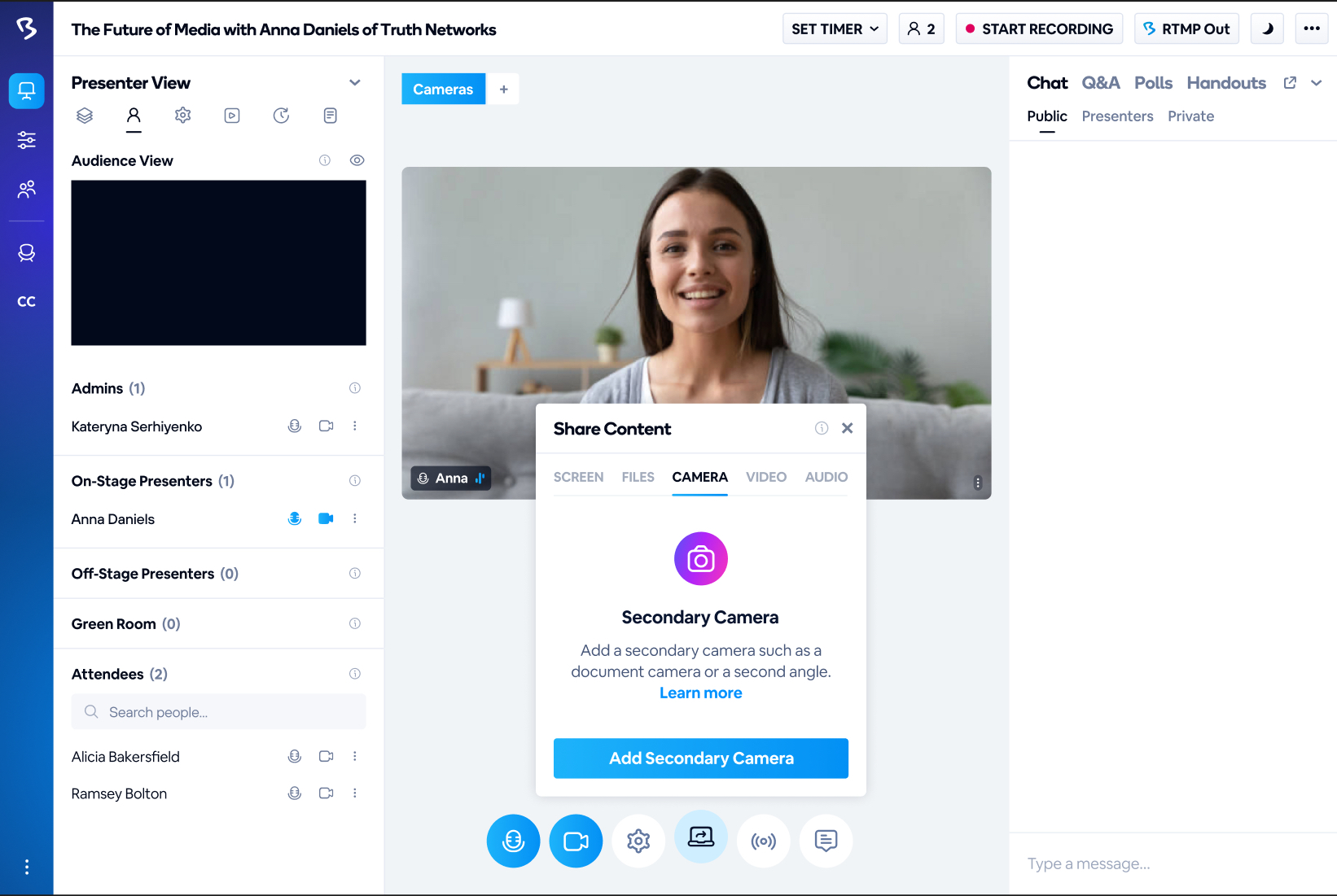
Dynamic angles and multi-camera perspectives from a single login
This feature allows presenters to share multiple camera feeds from the same login session, enabling professional multi-angle presentations without requiring multiple user accounts or complex setups. Hosts can seamlessly switch between different camera perspectives-such as a primary webcam for face-to-face engagement and a secondary camera for product demonstrations, whiteboard shots, or alternative room angles-all while maintaining a single presenter identity.
- Connect and manage multiple camera sources from a single login
- Switch between camera angles in real-time during presentations
- Support for USB cameras, built-in webcams, and mobile device cameras
- Picture-in-picture mode for showing multiple angles simultaneously
- Integrated into Studio Scene Builder for advanced layouts
Impact: Enabled dynamic, professional presentations with multiple camera perspectives, similar to broadcast television, without technical complexity or additional user licenses.
3. Green Room
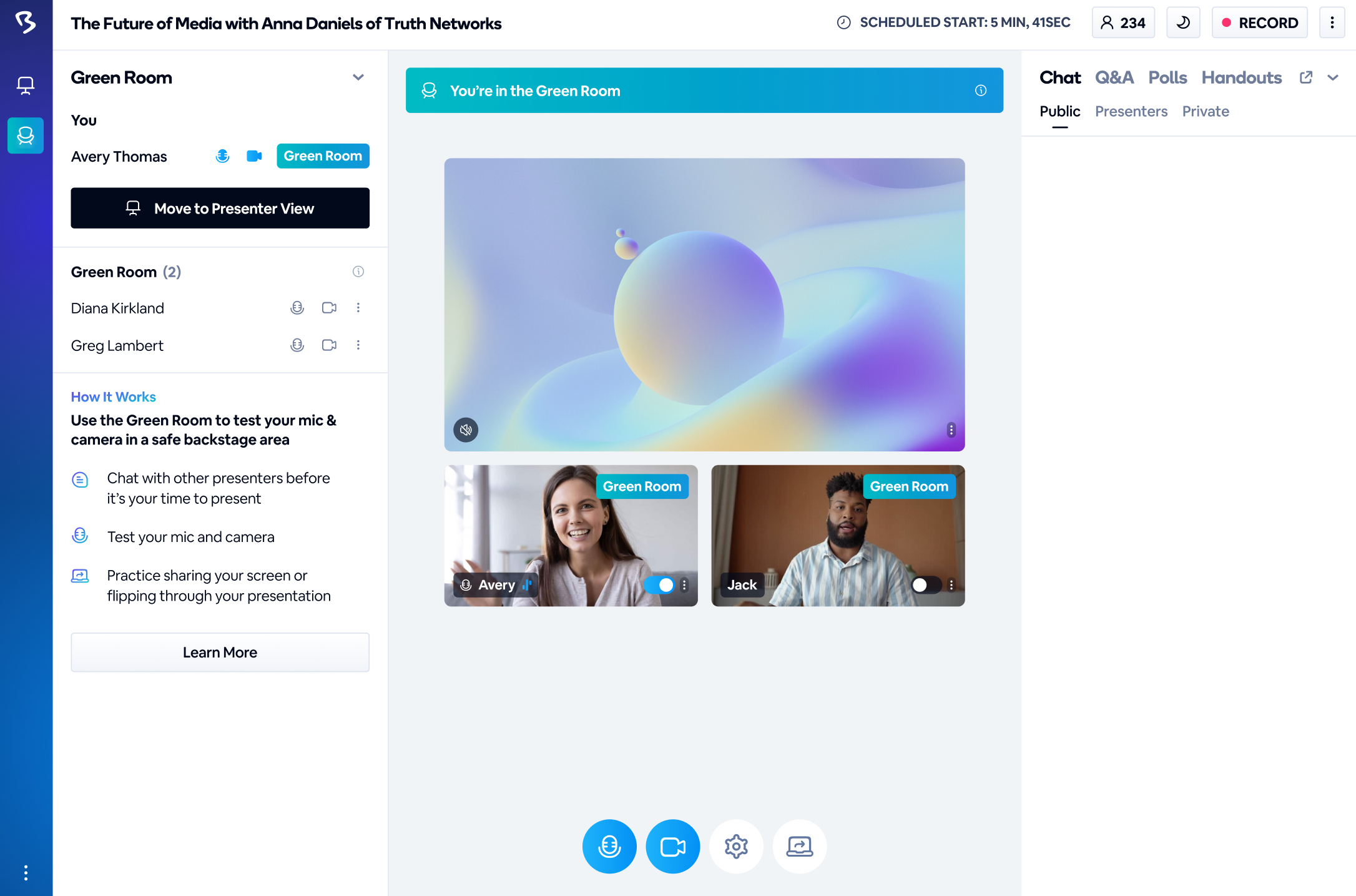
Practice and prepare before going live
The Green Room feature provides presenters with a private backstage area to practice, test equipment, and prepare before their presentation goes live to attendees. This essential pre-show environment allows hosts and co-presenters to check audio/video quality, review slides, test integrations, and coordinate with team members-all without attendees seeing or hearing the preparations. Once ready, presenters can seamlessly transition from the Green Room to the live webinar with confidence. Watch demo video
- Private backstage area isolated from attendees before going live
- Test audio, video, screen sharing, and all presentation elements
- Collaborate with co-presenters and practice transitions
- Preview and test Studio Scenes and camera configurations
- One-click transition from Green Room to live presentation
- Reduces technical issues and presenter anxiety before events
Impact: Significantly reduced live technical issues and presenter stress, resulting in more polished, professional webinars and increased presenter confidence.
4. Quiz Your Audience with Assessments
Interactive engagement and knowledge verification
The Quiz and Assessment feature enables hosts to create interactive quizzes and assessments directly within their webinars, transforming passive viewing into active participation. This powerful engagement tool helps verify knowledge retention, gather feedback, and maintain audience attention throughout sessions. Watch demo video
- Create multiple-choice, true/false, and open-ended questions
- Deploy quizzes at strategic moments during presentations
- Real-time results and analytics to gauge understanding
- Export quiz data for post-event analysis and follow-up
- Certification and compliance tracking capabilities
Impact: Increased audience engagement and provided measurable learning outcomes, essential for training and educational webinars.
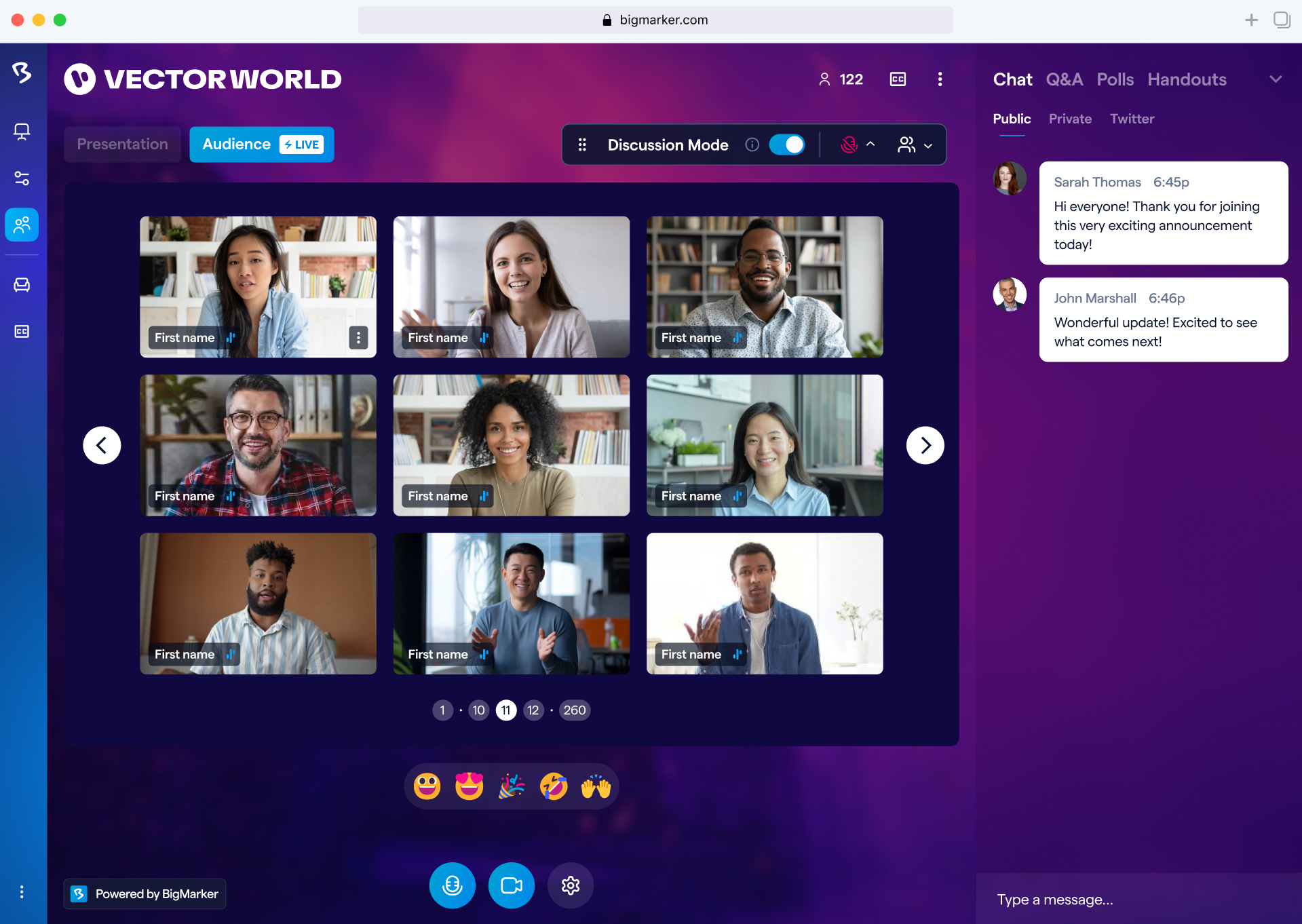
5. Enable Up to 10,000 Attendees to Share Webcams with Gallery View
Massive-scale interactive participation
This feature enables thousands of attendees to share their webcams during webinars, creating an unprecedented level of visual engagement and participation. By cultivating a more approachable environment, this capability boosts confidence among audience members to ask questions during Q&A and facilitates valuable knowledge-sharing that wouldn't be possible in traditional presentation formats.
- Support for up to 10,000 attendees to enable webcams simultaneously
- Discussion Mode and Presentation Mode for different engagement levels
- Presentation Mode allows attendees to navigate between presenter content and audience gallery tabs
- Attendees can share cameras without microphones in Presentation Mode to minimize audio disruption
- Requires Studio and Green Room features to be enabled for optimal performance
Impact: Transformed large-scale webinars into truly interactive experiences, enabling thousands of participants to be seen and encouraging broader participation in Q&A and discussions.
6. 1-on-1 Meetings in Networking and Expo Booths
Personalized engagement and lead conversion
This feature enables exhibitors and hosts to schedule and conduct private one-on-one meetings within expo booths, creating dedicated spaces for personalized discussions without waiting until after the event. By facilitating immediate, direct conversations with interested leads, this capability significantly increases both conversions and ROI for event partners while serving as a versatile tool for marketing and recruiting needs.
- Create separate meeting rooms within expo booths for private discussions
- Pre-schedule meetings with potential customers or job candidates
- Conduct immediate follow-up conversations with interested leads during the event
- Customizable booth settings and meeting room configurations
- Available for Event Package plan holders with enterprise-grade capabilities
Impact: Enabled exhibitors to convert interest into action immediately, dramatically improving lead conversion rates and event ROI through personalized, real-time engagement.
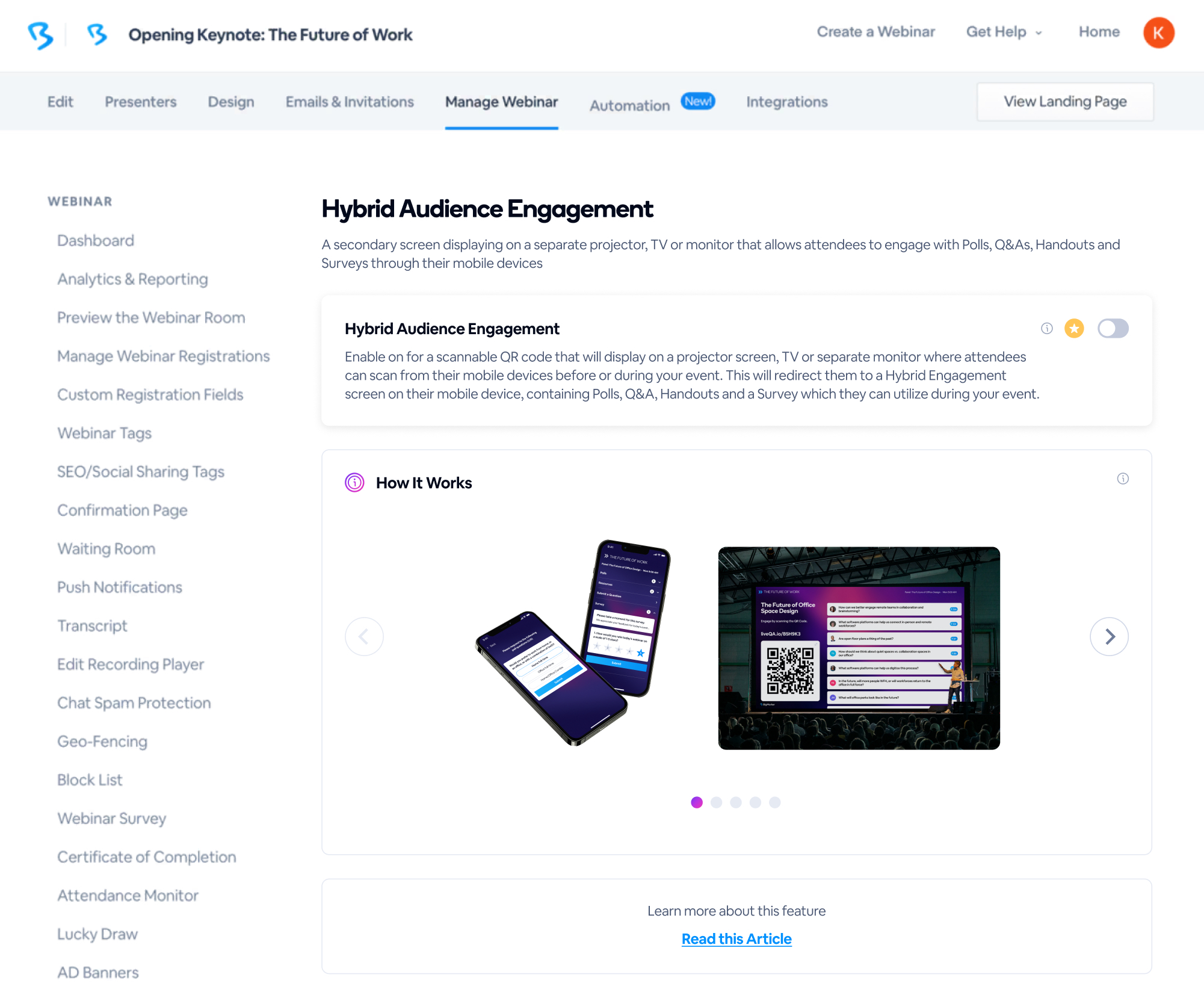
7. Onsite Q&A with Hybrid Audience Engagement
Interactive participation for in-person attendees
The Onsite Q&A feature leverages hybrid audience engagement capabilities to create an interactive accompaniment for in-person event attendees. By scanning a QR code at the beginning of the event, attendees can use their mobile devices to actively participate throughout the session, bridging the gap between physical and digital engagement.
- QR code scanning for instant mobile access to engagement features
- Real-time Q&A submissions from in-person attendees on their devices
- Interactive polls to gather instant feedback and opinions
- Digital handouts accessible directly on mobile devices
- Post-event surveys to measure satisfaction and gather insights
- Seamless integration with webinar platform features
Impact: Transformed in-person events into interactive experiences, increasing attendee engagement and participation while providing organizers with valuable real-time feedback and analytics.